
FeelIT lives again — 14 years later
Published:
FeelIT lives again
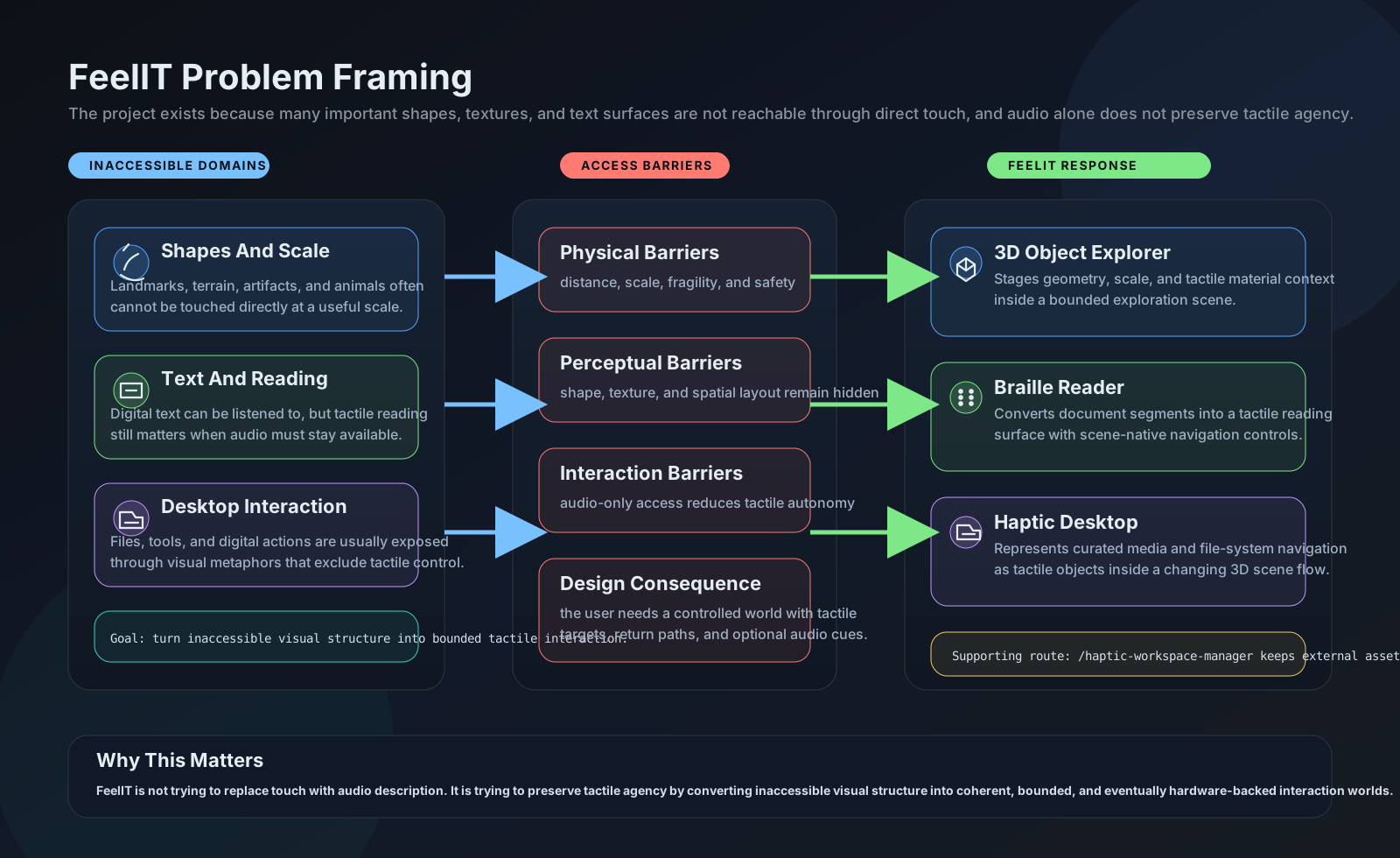
In 2008, as an electronics engineering student at the Universidad de Concepcion, I built a pin-array display prototype for visually impaired users. The idea was to create a tactile screen — an array of pins whose heights could be controlled electronically to form relief representations of objects, text in Braille, or any surface a blind person might want to explore.
The project froze in 2012. The hardware was too expensive, miniaturization was beyond what I could achieve with off-the-shelf components, and the 10x10 pin array I managed to build was too crude to be useful.
Fourteen years later, I’m rebuilding it.
The resurrection
The hardware problem hasn’t fully disappeared, but the software landscape has transformed completely. In 2008 I was building Windows Forms applications with OpenGL rendering. In 2026, a single Python server with FastAPI and Three.js can deliver a cross-platform, hardware-accelerated 3D experience in any browser. The haptic device ecosystem has expanded, and — critically — the web platform means FeelIT can work even without physical haptic hardware, using keyboard-driven pointer emulation as a first-class interaction mode.
Four workspaces
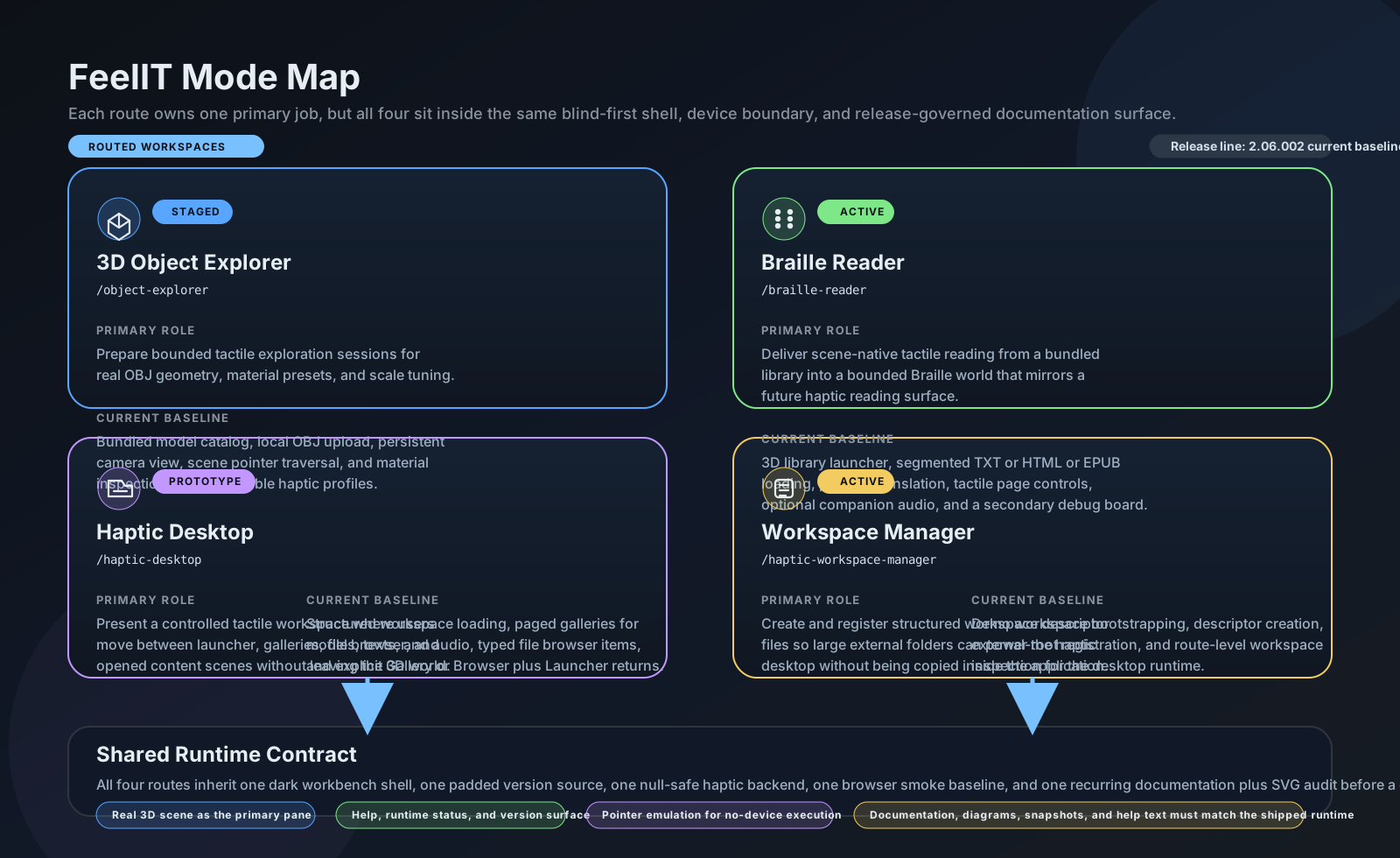
Instead of the single Braille reading mode of the original, FeelIT 2.0 has four dedicated workspaces:
- 3D Object Explorer — load any OBJ model, select a tactile material profile, and explore it with a virtual stylus
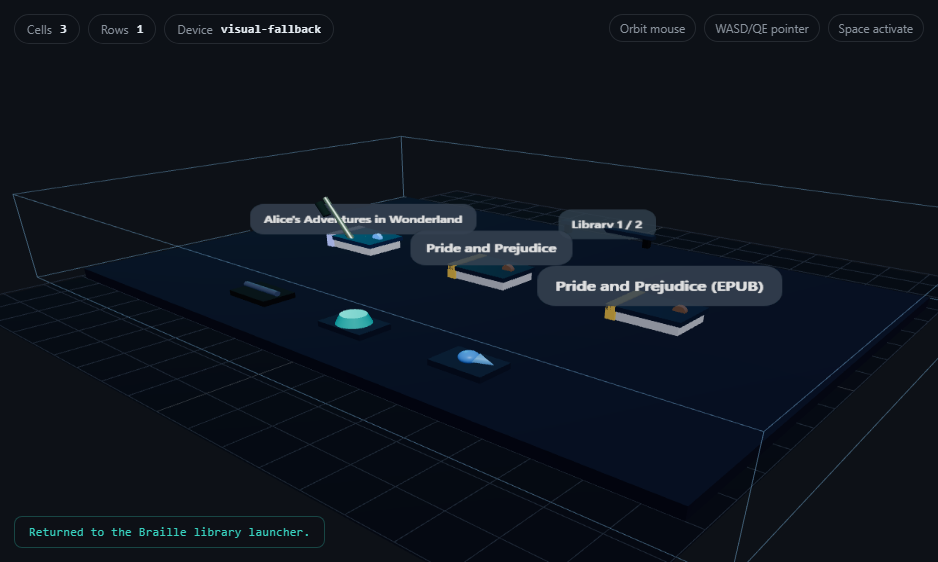
- Braille Reader — scene-native 3D Braille with segmented document loading (TXT, HTML, EPUB), pagination controls built into the 3D scene itself
- Haptic Desktop — a workspace launcher that lets you browse and open models, documents, and audio from structured workspace descriptors
- Workspace Manager — create and register external workspaces from any folder on your computer
Text → normalize(char) → 6-dot mask (0-63) → BrailleCell → layout(rows, columns) → 3D positioned cells in Three.js scene
Full ASCII + accented characters + punctuation. Unknown chars get dots 3,4,5 as fallback.
What’s real and what’s planned
I’m being deliberately honest about what’s shipped and what’s aspirational. The Braille Reader works — it loads documents, converts text to 3D Braille cells, and you can navigate with scene-native controls. The 3D Object Explorer is staged — you can load and view models, but without physical haptic hardware the “touch” is simulated through visual feedback. The Haptic Desktop is a prototype that demonstrates the workspace-driven interaction paradigm.
The project has 49 automated tests and browser smoke validation. Every claim in the documentation is backed by running code, not by intention.
What it means
Starting this project again after 14 years feels different. In 2008, I was a student excited by the technical challenge of controlling pins with electromagnets. In 2026, I’m a Decision Science manager who understands that the real challenge isn’t the technology — it’s building something that genuinely serves people who need it. The technical architecture is cleaner now, the testing is more rigorous, and the documentation is more honest. But the motivation is the same: the world of objects should be accessible to everyone, not just those who can see.
The original FeelIT taught me that hardware constraints are temporary. This version is betting that the constraint has moved far enough.