
FeelIT 2.0 — Haptic Accessibility Workbench
Published:
A web-based haptic accessibility workbench that enables visually impaired users to explore 3D objects through touch, read Braille text in immersive 3D environments, and navigate a haptic desktop for models, documents, and audio. This is the modern realization of a vision that began in 2008 — now built on Python/FastAPI + Three.js instead of Windows Forms + OpenGL.
The resurrection
The original FeelIT (2008-2012) was frozen when hardware miniaturization and costs made the pin-array display impractical. Fourteen years later, the landscape has changed: web technologies enable cross-platform deployment, Three.js provides hardware-accelerated 3D in any browser, and the haptic device ecosystem has expanded beyond proprietary solutions. FeelIT 2.0 takes the original accessibility vision and rebuilds it from scratch with modern architecture.
Business context
Tactile accessibility remains an underserved space. Screen readers and audio descriptions dominate assistive technology, but audio alone cannot convey spatial relationships, 3D shapes, or the physical texture of objects. FeelIT 2.0 addresses this gap with a structured, multi-workspace approach to tactile interaction.
Key Performance Indicators — Process impact
| KPI | Baseline (audio-only AT) | With FeelIT 2.0 | Impact |
|---|---|---|---|
| Spatial information access | Verbal descriptions only | Direct tactile 3D exploration | Shape understanding without vision |
| Braille reading | Linear text, no spatial context | 3D scene-native Braille with navigation controls | Immersive reading with in-scene pagination |
| Content variety | Text and audio only | Models + documents + audio in unified workspace | Multi-modal content access from one interface |
| Hardware dependency | Specific device required | Null backend (works without haptic device) | Immediate usability, hardware optional |
| Test coverage | Not applicable | 49 automated tests + browser smoke validation | Verifiable, reliable accessibility |
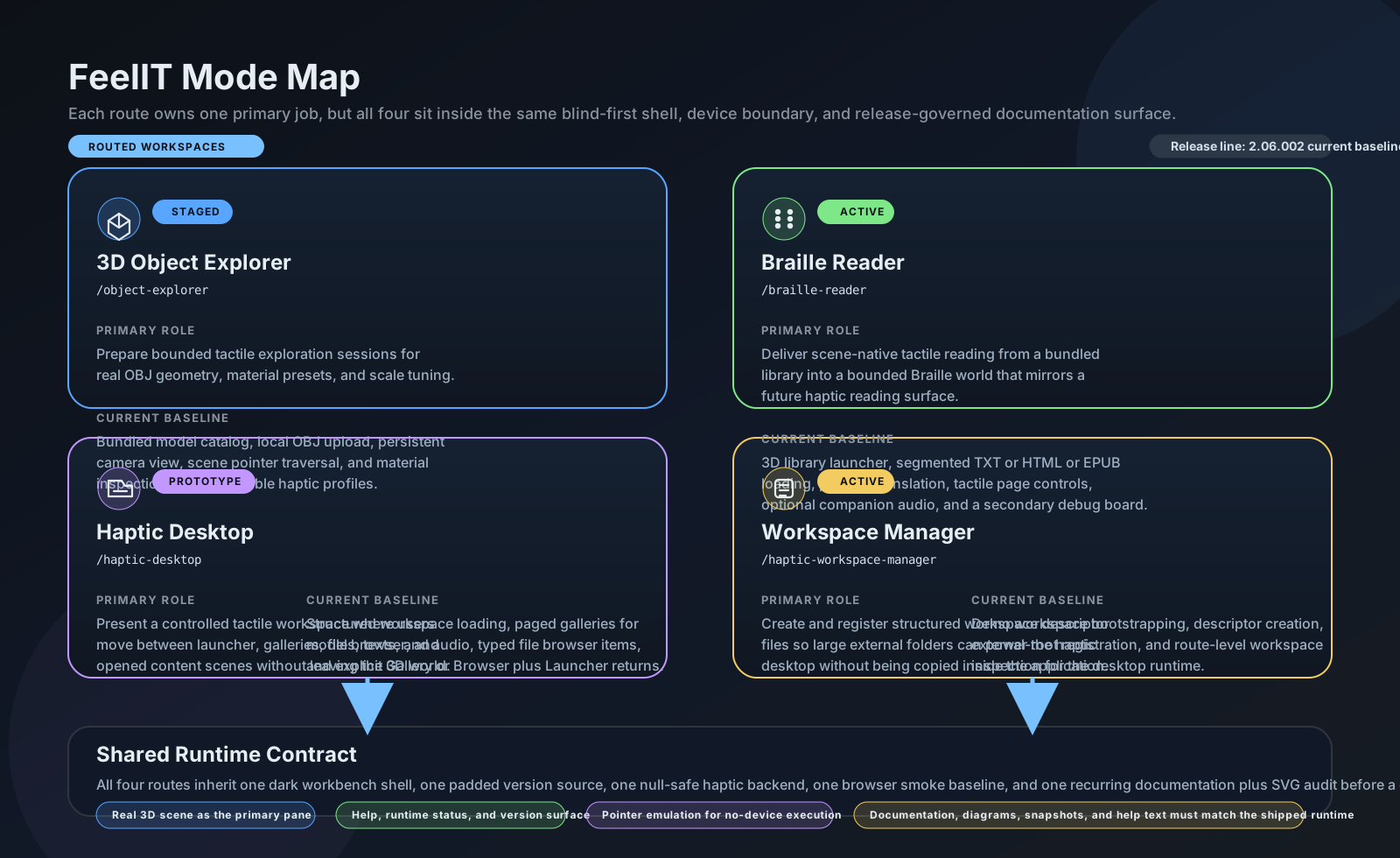
Four workspaces
1. 3D Object Explorer
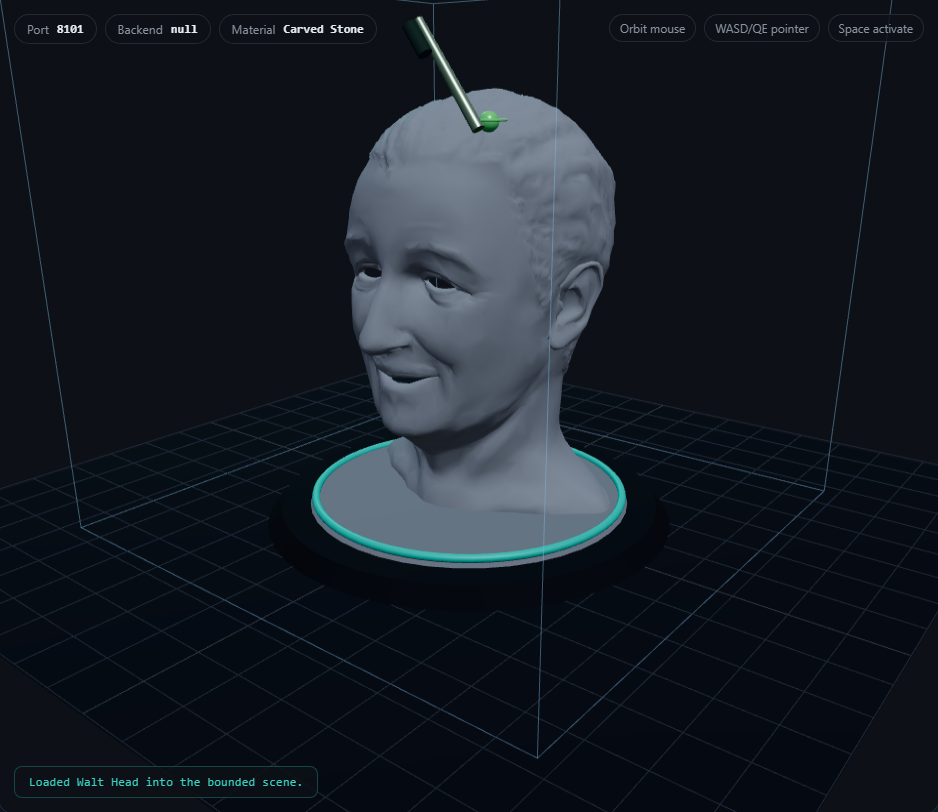
Load bundled OBJ models or upload custom files. Select from 8 tactile material profiles (polished metal, carved stone, unfinished wood, rubber, foam, textured polymer, coated paper, glazed ceramic). Navigate with keyboard-driven stylus emulation (WASD/QE movement, Space/Enter activate).
2. Braille Reader
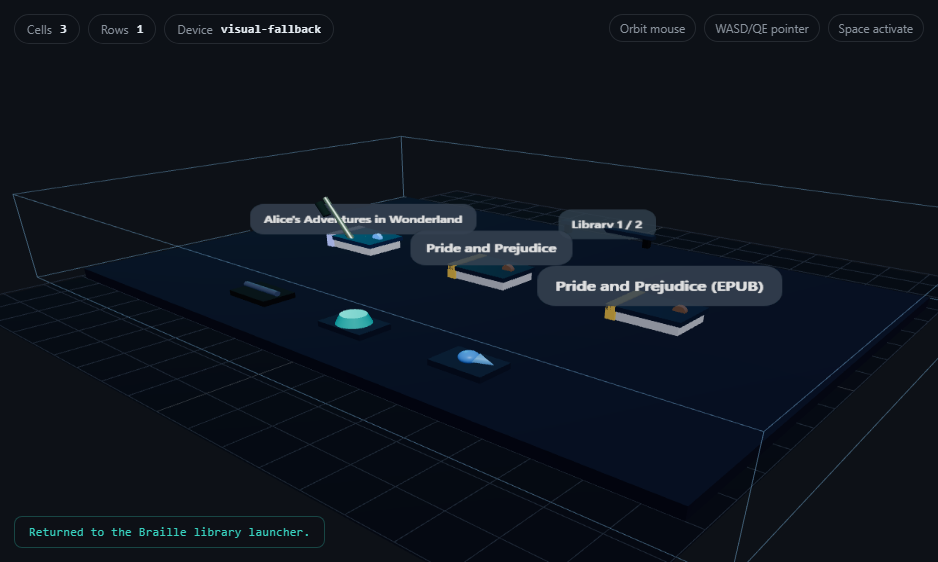
Scene-native 3D library launcher with paged document targets. Load bounded segments (configurable 1200 chars) from TXT, HTML, or EPUB files. Navigate with in-scene Previous/Next controls. Companion audio catalog pairs readings with narration. 6-dot standard Braille with full ASCII + accented character support.
Each character → 6-dot mask (0-63) → 3D positioned cell
Layout: cells arranged in rows × columns grid with orientation rail and origin marker
3. Haptic Desktop
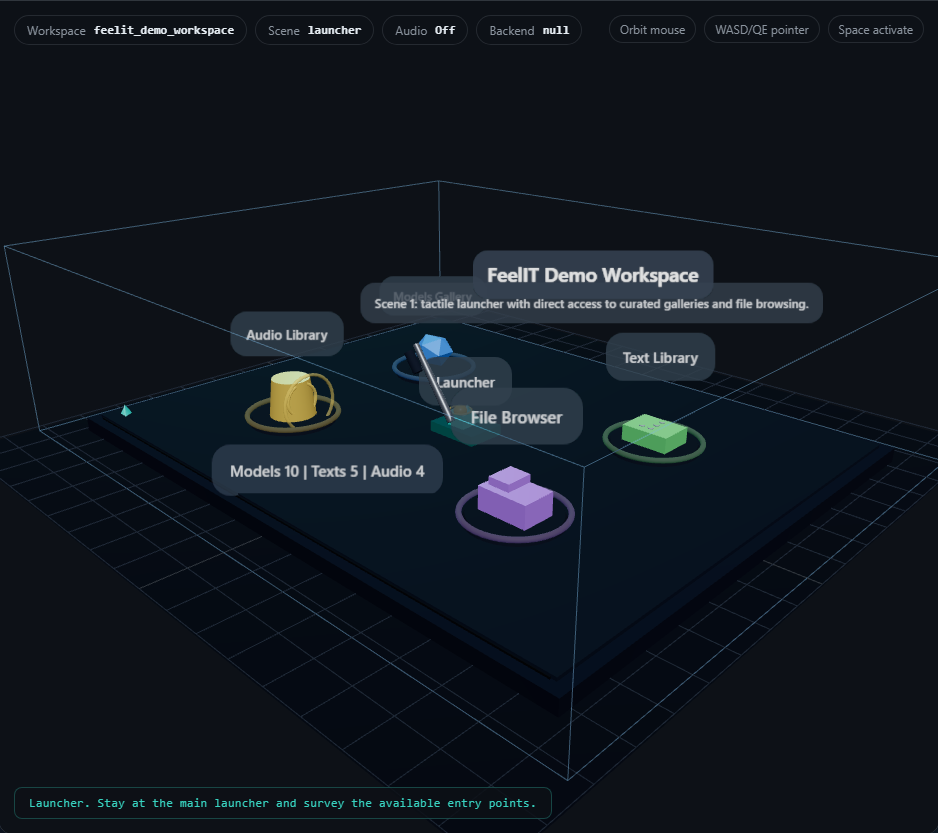
Workspace-driven launcher providing a neutral hub with entry points for models, texts, audio, and a file browser. Typed file entries have distinct tactile shapes (folders, models, documents, audio, unsupported). Detail plaques show names before opening. Scene-persistent camera viewpoint survives transitions.
4. Workspace Manager
Create new workspaces from external folders with auto-population of models, documents, and audio. Register existing .haptic_workspace.json descriptors. Review catalog with registry diagnostics.
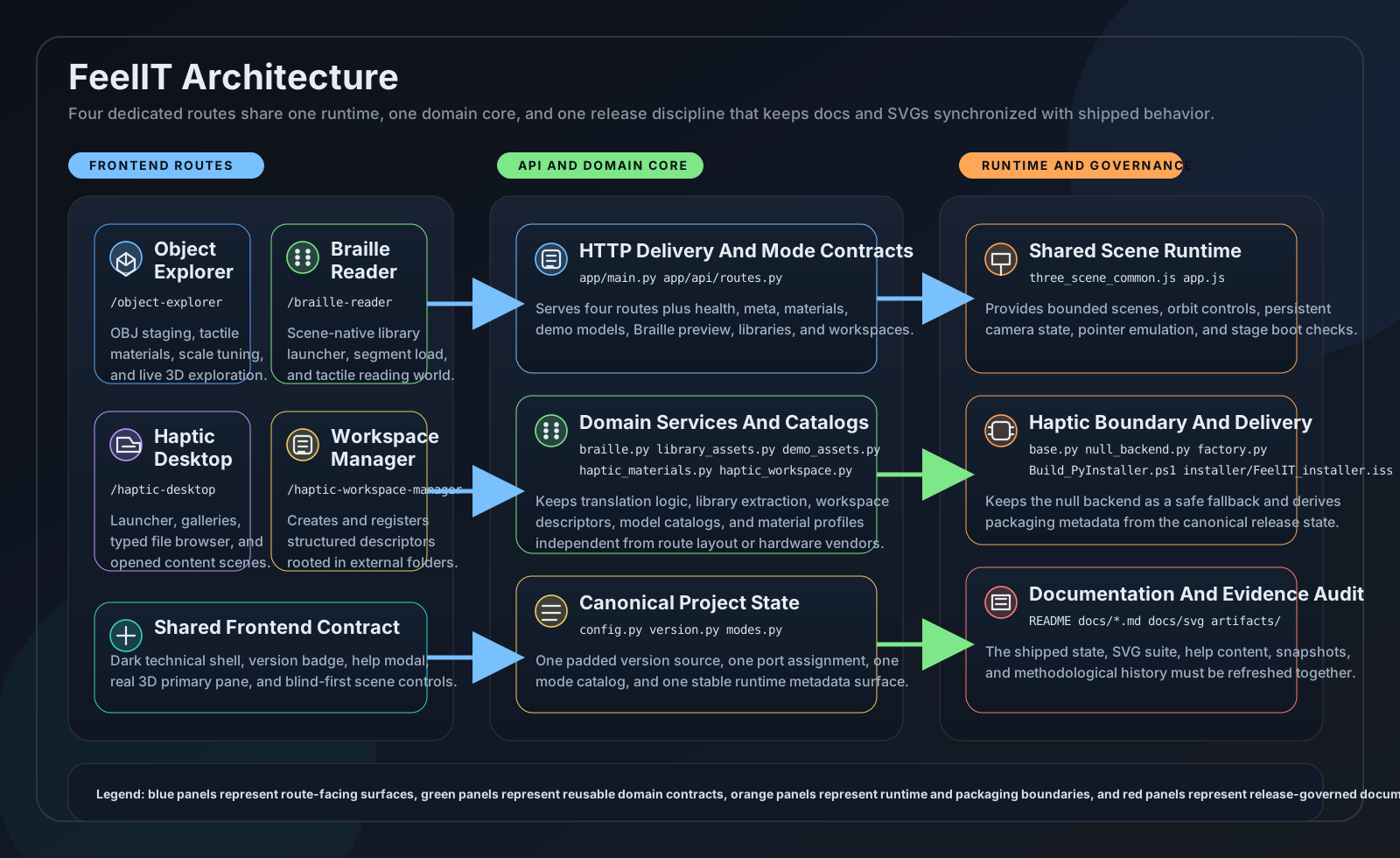
Technical stack
- Backend: Python 3.12+, FastAPI, Uvicorn (port 8101)
- Frontend: Three.js (bundled locally), vanilla JavaScript, dark theme
- Braille: Custom 6-dot encoder with layout engine (134 lines)
- Materials: 8 frozen dataclass profiles with stiffness, friction, texture, vibration parameters
- Haptics: Pluggable backend abstraction (null backend for visual-only, hardware-ready interface)
- Content: 10 bundled OBJ models, 5 public-domain documents (Gutenberg), 4 audio tracks (LibriVox)
- Testing: 49 automated tests (API, Braille, workspace, versioning, snapshots)
- Distribution: PyInstaller + Inno Setup for standalone Windows installer
From 2008 to 2026
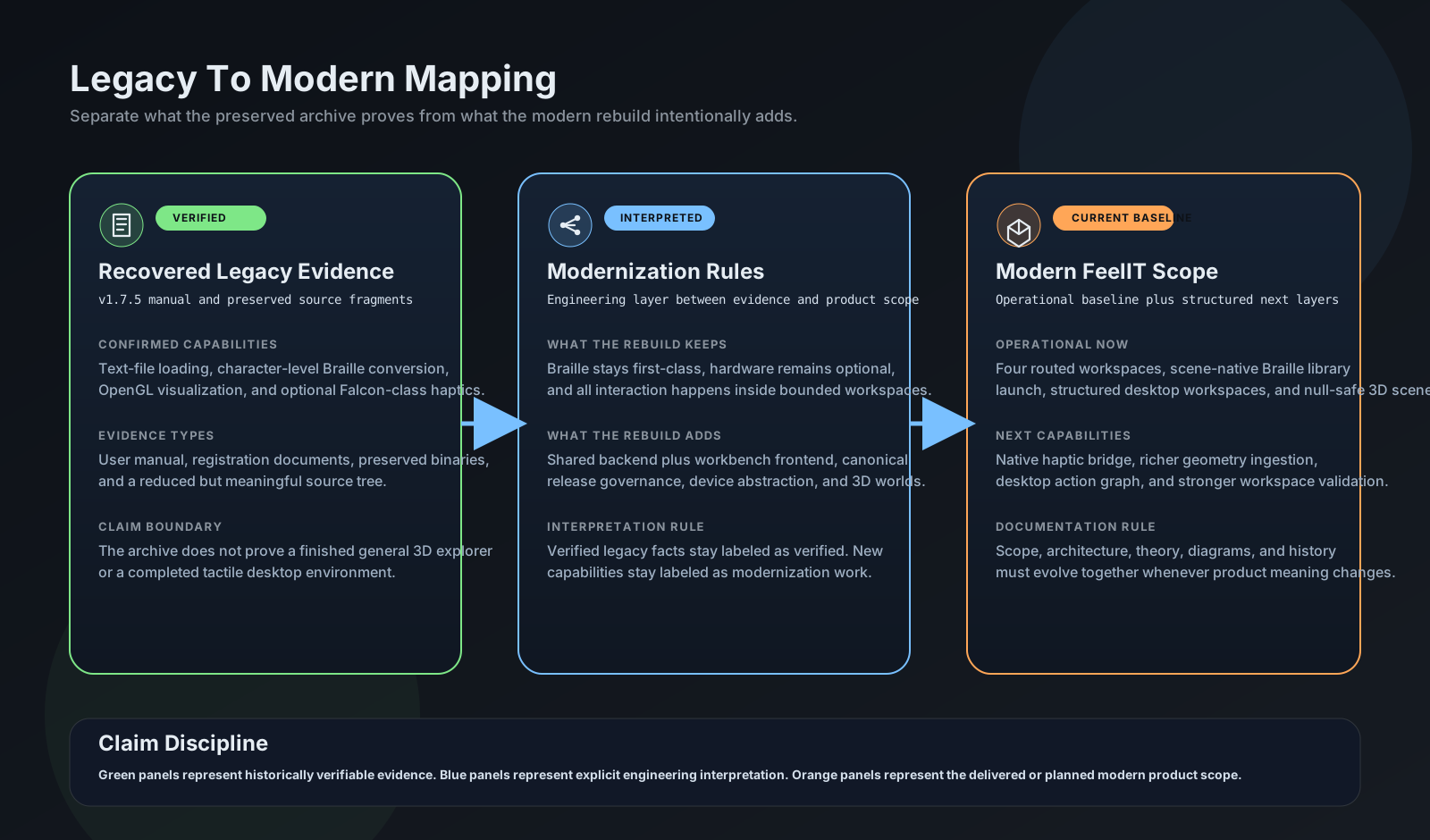
| Aspect | Original (2008-2012) | FeelIT 2.0 (2026) |
|---|---|---|
| Platform | Windows Forms | Web (FastAPI + Three.js) |
| Scope | Braille only | 4 workspaces (Explorer, Braille, Desktop, Manager) |
| Haptic device | Novint Falcon-specific | Pluggable backend (works without hardware) |
| Documents | Text files only | TXT, HTML, EPUB with segmented loading |
| Testing | None documented | 49 automated + browser smoke |
| Documentation | Minimal | 12 docs + 5 SVGs + snapshot archive |
Live application
Methodological honesty
This project explicitly separates what is shipped and tested from what is planned. The Implementation Gap Audit documents exactly what works today (Braille reading, 3D staging, workspace management) and what requires future work (native haptic hardware bridge, PDF/DOCX support, force-feedback material realization).
This project does not yet have a public repository. It will be published when ready.